






































 Upgrade to pro
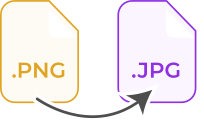




No doubt, the PNG (Portable Network Graphics) is a high-quality image file with a lot of functionality. However, when it comes to sharing images, building websites, or downloading multiple image files, then PNG is lacking. Fortunately, the JPG image format works best in these areas. So, try our online PNG to JPEG converter that quickly transforms multiple PNG files into JPEGs. The JPG image files can be easily compressed into smaller sizes, which makes such files faster and easier to share online.
Preserve Format:
When it comes to converting PNG into JPG files, the ratio, as well as the orientation of the image file will remain intact due to our lossless compression algorithm used by PNG to JPG converter. Don’t fret, by using our converter, your image quality looks as close to the original as possible, even if the image or images file size might differ!
Why Convert PNG to JPEG?
There are numerous reasons that you people might need a turn PNG into JPG file. People typically turn PNG into JPEG in order to get smaller file size images. PNG (Portable Network Graphics) is referred to as the class of high-quality image files that significantly retain all information and quality. However, specifically for internet businesses, JPG is said to be superior because it plays a crucial role in building websites.
When an organization builds its webpage, it better knows the importance of keeping customers on the respective page. If the web page takes too long to load, the bound rate of users will increase. This is where an organization needs to change PNG to JPEG file.
How to Convert PNG to JPG Online?
You can easily save PNG as JPG by using this free PNG to JPG converter online, just follow these 3 simple steps and get quality conversions.
Step 1:
- Drag/drop or upload single or multiple PNG files that you need to convert into JPGs
Step 2:
- Once the file is completely uploaded, tap the “Convert” button, and lets it change PNG to JPG
Step 3:
- All done, click the “Download” button to save your new JPG images right now